Mobile Ticketing
5/14/2020 9:39:00 AM | Athletics
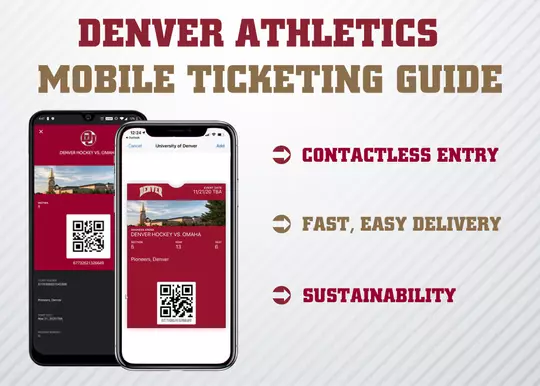
GAME DAY TIPS
Before arriving at the venue to access the event, here are some tips to make sure your game day entry is smooth:
- Login to your account, navigate to Manage My Account and add your tickets to your mobile wallet app (Apple Wallet, Google Pay, etc).
- Make sure your phone is fully charged and screen brightness turned up.
- Open your wallet app and have your ticket pulled up and ready to be scanned before entering the venue.
- Speed up the process and transfer tickets! It is recommended that you send each guest their own individual ticket if the party is arriving separately.
- Reference the seat location on your ticket to access your seat.
- Do not print out your digital ticket as printed tickets will not be accepted at the gate
Note: If you experience any ticket issues, visit the box office on the West Concourse, under the gold tower.
Get all of the answers to your mobile ticketing questions below:
Going mobile is the safest, most convenient and flexible way to receive and manage your tickets while increasing protection against fraud. Mobile tickets provide:
- Reduced risk of lost, stolen, counterfeit or forgotten tickets
- Contactless entry into the venue
- Ability to manage, send or sell your tickets at any time from your phone
The “My Account” section of the University of Denver Tickets homepage. After logging in, you will see your available tickets in your account. From there, you can view, transfer, or resell your tickets right from your phone. Step-by-step guides and videos will be made available for fans prior to the sending of season tickets.
If you have ever purchased tickets from the University of Denver Athletic Ticket Office, you already have an account in our ticketing system. If you do not know your log in information, you can contact the ticket office and we will be happy to provide that information for you. If you have forgotten your password, you can click the ‘forgot password’ button on the log in screen and a link will be sent to the email associated with the account with instructions on how to reset your password.
Our intention is not to inconvenience or turn away an of our fans. Simply visit the box office or contact us at 303-871-4625 or duticket@du.edu to make other arrangements.
Yes, transferring tickets is easy and makes scanning tickets faster for all fans. You are also able to simply swipe through your available tickets at the venue if the entire party is present.
You can easily send each member their ticket individually by transferring the ticket to them via your online account.
Season tickets are usually activated on your account about a month before the first event. Single game tickets are usually active in your account within 24 hours of purchase. Some events may delay delivery to within 48 hours before the event.
No. All tickets must be scanned from the mobile wallet app on your device.
No. All tickets must be scanned from the mobile wallet app on your device.